

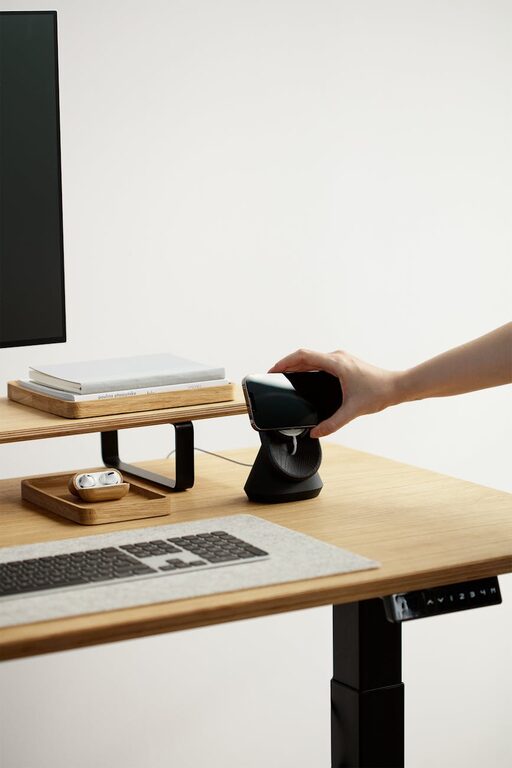
Creating a cozy and functional home workspace is essential for anyone working or studying from home. A well-designed area can improve focus, comfort, and overall productivity. Whether you have a dedicated room or a small corner, these tips will help you create a space that feels inviting and supports your daily tasks.
Choose the Right Location
Selecting the best spot for your workspace is the first step. Aim for a quiet area away from heavy foot traffic. Natural light is a big plus as it reduces eye strain and increases alertness. If a window is available, position your desk nearby but avoid glare on your screen.
If space is limited, consider multi-purpose areas such as a dining nook or a corner in the living room. Use room dividers or shelving units to visually separate your workspace from the rest of the room.
Invest in Comfortable Furniture
Comfort is key when setting up your home workspace. Start with an ergonomic chair that supports your back and allows your feet to rest flat on the floor. A desk at the right height will help prevent strain on your wrists and arms.
If space allows, opt for a desk with storage options like drawers or shelves to keep your supplies organized. Adjustable desks that allow you to switch between sitting and standing positions are also great for health and productivity.
Optimize Lighting
Good lighting enhances both comfort and focus. Combine ambient lighting with task lighting to brighten your workspace. A desk lamp with adjustable brightness can help reduce glare and shadows.
If natural light is limited, choose bulbs that mimic daylight for a more natural feel. Avoid overhead fluorescent lights when possible as they can be harsh and tiring.
Personalize Your Space
Adding personal touches makes your workspace feel welcoming and encourages creativity. Decorate with plants, artwork, or photos that inspire you. Choose colors that make you feel calm or energized, depending on your preference.
However, keep decorations minimal to avoid clutter. A tidy space helps reduce distractions and promotes a clear mind.
Keep It Organized
Clutter can disrupt concentration, so maintaining an organized workspace is important. Use storage containers, file organizers, and cable management tools to keep your desk neat.
Regularly declutter your workspace by removing unnecessary items. Establish a routine for tidying up at the end of each day to maintain a clean environment.
Incorporate Technology Wisely
Ensure your workspace technology supports your needs. Invest in a reliable computer, high-speed internet, and any necessary accessories like a headset or external monitor.
Keep cords and cables organized with clips or sleeves to prevent tangling. Regularly update your software and tools to stay efficient and secure.
Create Healthy Work Habits
Design your workspace to encourage healthy habits. Place a water bottle nearby to stay hydrated. Keep some space for stretching or small breaks to reduce fatigue.
Consider adding a timer or using apps that remind you to take breaks, helping maintain focus and prevent burnout.
Sound and Privacy Considerations
If noise is an issue, use noise-canceling headphones or white noise machines to minimize distractions. Rugs, curtains, and soft furnishings can help absorb sound and improve acoustics.
If you share your home, establish boundaries and communicate your work schedule to others to respect your workspace and reduce interruptions.
Final Thoughts
A cozy and functional home workspace combines comfort, organization, and personalization. By thoughtfully arranging your space and adopting healthy habits, you can create an environment that supports productivity and well-being. Remember, the best workspace is one tailored to your unique needs and preferences. Start small and adjust as you discover what works best for you.